How To Get More Google Reviews For Your Business (A Dallas Guide)
The Dallas businesses winning local search aren’t the ones with the best service. They’re the ones who ask for reviews consistently and respond to every one that comes in.
Most DFW business owners leave reviews to chance. They do great work, hope the customer remembers to say something nice online, and end up with a handful of aging reviews while a competitor collects fresh ones every week. That competitor isn’t doing better work. They just have a system.
This guide gives you that system. How to ask, when to ask, how to make it effortless for customers, how to respond (including the bad ones), and the rules you need to follow so you don’t get your profile penalized.
Why Google Reviews Decide Who Wins Local Search
Google uses three factors to rank local results: relevance, distance, and prominence. Reviews feed prominence directly. A business with a strong, growing review profile looks more credible to Google than one with a thin or stagnant presence.
Reviews also decide what happens after someone finds you in the map pack. When two businesses show up side by side, the one with 140 reviews and a 4.7 rating gets tapped before the one with 12 reviews and a 4.9. Volume builds trust faster than a perfect score.
Recency matters too. 40 reviews from the last six months can carry more weight than 200 that stopped three years ago. Google wants to see that customers are engaging with you now, not that they used to.
For a deeper look at how reviews fit into the broader local SEO picture, our guide covers the full strategy.
How Many Reviews Do You Actually Need?
There’s no magic number. The honest answer: enough to look active and trusted compared to the businesses you’re competing against in the map pack.
Search your main service keywords on Google Maps and see what the top three results look like. If they have 80 to 150 reviews and you have 15, that gap is costing you visibility.
The target isn’t a number. It’s a pace. Getting 2 to 4 new reviews per month, every month, matters more than a burst of 20 followed by silence. Steady flow signals an active business.
The Simple System To Get More Reviews
Getting reviews isn’t about “just asking.” It’s about building a process that runs alongside your regular workflow.
- When to ask: Right after a good outcome, while the experience is fresh. A Fort Worth dentist who asks at the end of a successful appointment gets far more reviews than one who sends an email two weeks later. Timing is the biggest variable.
- Who to ask: Happy customers. If a job went sideways or the customer seemed lukewarm, skip the ask. You want reviews from people who are genuinely pleased.
- How to ask: In person first, then follow up with a link. The in-person ask plants the seed. The text or email gives them the easy path to do it. Both steps matter.
- The one follow-up rule: Send one reminder if they haven’t left a review after a few days. One. Not three. A single gentle nudge is helpful. Multiple reminders are annoying.
Make leaving a review effortless
The biggest reason customers don’t leave reviews isn’t that they don’t want to. It’s that it feels like too many steps.
- Find your direct Google review link. In your Google Business Profile dashboard, go to “Ask for reviews” and copy the short link. This takes customers directly to the review form with no searching or profile clicking.
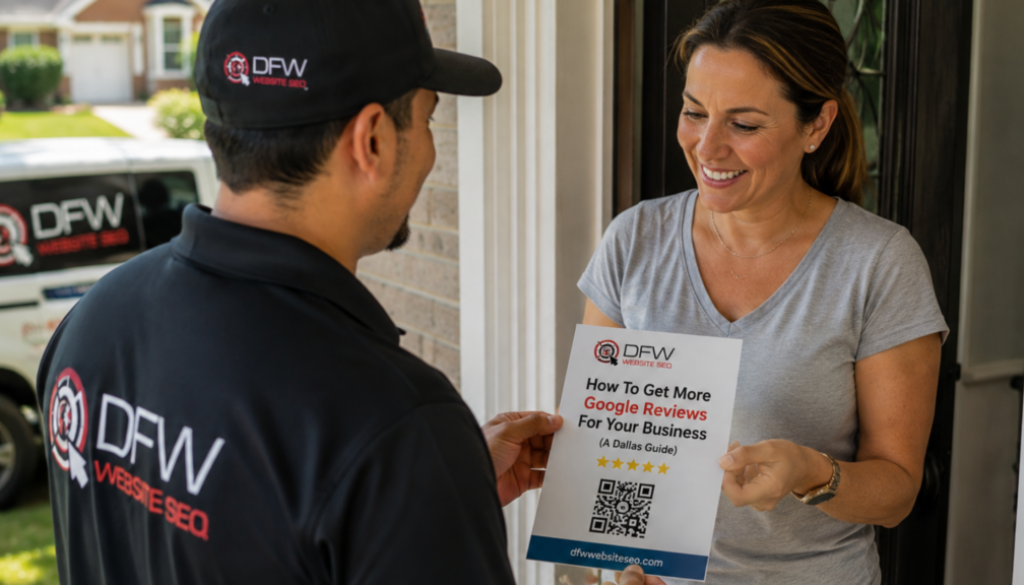
- Turn it into a QR code. Use any free QR code generator. Print it on invoices, business cards, leave-behind flyers, or a countertop card. A Dallas HVAC company that added a QR code to every invoice went from occasional reviews to a steady weekly flow because customers could scan and type while the technician was still packing up.
- Print review cards. A small card handed to the customer at the end of a job with a short message and a QR code. A Fort Worth restaurant that put review cards at the register saw a noticeable pickup within the first month. Physical reminders are harder to forget than emails.
If your Google Business Profile isn’t fully optimized yet, fix that before ramping up your review requests. Sending people to a half-finished profile wastes the effort.
What To Say When You Ask
Keep it short, personal, and specific to what you just did.
- In person: “Hey, glad the repair went well. If you have a minute, a Google review really helps us out. I’ll text you a link.”
- By text: “Hi [name], thanks for letting us handle the [service]. If you’re happy with how it went, here’s a quick link to leave a Google review: [link]. Takes about 30 seconds.”
- By email: Same tone as the text. Add one line about the specific work. “We finished the full AC replacement at your Plano home this morning” personalizes it and reminds them what they’re reviewing.
A personal ask converts far better than an automated blast.
If you’d rather have someone handle the asking, follow-ups, and responses for you, that’s something our team does as part of every local SEO engagement. But the system above works well if you’re running it yourself.
How To Respond To Reviews (every one)
Responding is both a ranking signal and a trust signal. Most businesses skip it, which is an easy advantage to take.
- Positive reviews: Thank the reviewer by name. Reference something specific. Keep it brief. “Thanks, Mike. Glad the AC is running smooth in that Lakewood heat.” Real. Enough.
- Negative reviews: Stay calm. Acknowledge the concern without getting defensive. Offer to resolve it offline. “We’re sorry to hear about your experience. Please reach out to us at [phone] so we can make it right.” Then stop. Don’t argue. Don’t explain.
The response to a negative review is read by every future customer who visits your profile. A calm, professional reply builds more trust than the negative review costs. A defensive response does the opposite.
What To Do About Fake or Unfair Reviews
You can’t delete a real negative review just because you disagree with it. But you can report reviews that violate Google’s policies: fake reviews from non-customers, reviews from competitors, spam, or off-topic content.
In your GBP, click the three dots on the review and select “Report review.” Google evaluates it against their content policy. This can take days or weeks, and removal isn’t guaranteed.
Respond professionally in the meantime. For a broader look at how reputation affects your visibility across search, ads, and AI, see our reputation and visibility guide.
What Not To Do (The Rules That Can Get You Suspended)
This is the section most review guides skip.
- Don’t gate reviews. Review gating means filtering happy customers to Google and unhappy ones to a private form. Google explicitly prohibits this. If your tool does it, stop.
- Don’t buy reviews. Paid reviews violate Google’s policies. Google detects patterns from purchased reviews, and the penalty can include profile suspension.
- Don’t offer discounts or gifts in exchange for reviews. “Leave a review, get 10% off” breaks Google’s policies and FTC guidelines. The review must be voluntary.
- Don’t ask for 5-star reviews specifically. Asking for “a review” is fine. Asking for “a 5-star review” is review manipulation. If your service is good, the stars handle themselves.
These rules protect the review system and they protect you. A profile built on genuine reviews is sustainable. One built on shortcuts is a suspension waiting to happen.
How DFW Website SEO Helps
We help Dallas businesses set up a review system that runs consistently without shortcuts that risk the profile. That includes creating your direct review link and QR codes, writing response templates, training your team on the ask, and monitoring your review flow as part of your local SEO strategy.
We’ve worked with over 1,000 DFW businesses across 13 years. Review generation is built into every local engagement because the rest of the optimization can’t reach its potential without it. One of our Dallas retail clients grew their business 5x with local SEO and a consistent review system working together.
If you’d rather have this handled than try to remember it every busy week, that’s exactly what we’re here for.
Ready To Get Your Review System Running?
If your Dallas business needs more Google reviews but doesn’t have the time or system to make it happen, DFW Website SEO can set it up and keep it running alongside your local SEO campaign.
Request a free review and visibility check or call us to schedule a strategy call.

CORPORATE OFFICE
2001 N Lamar Street
Suite Number 270
Dallas, TX 75202